5 free Gif creators
"It seems like GIFs are everywhere these days, from social media feeds and emails to group texts. And it's no wonder: Like emojis or memes, they're a fun way to add a little humor and creativity to our daily communications. A GIF (which stands for "graphic interchange format") is a digital image file that contains multiple frames so viewers see a quick animation, often accompanied by playful text or images. GIFs are typically used to express a humorous reaction or feeling."
from CommonSense Education
5 free Gif creators
Friday, December 21, 2018
Google Classroom: Resources and extensions
Extensions

"Instantly change the sharing permissions of a Google Docs/Sheets/Slides/Drawing to "Anyone with the link can view".
How many times have you shared out a link and had a faceslap moment where you forgot to change the sharing permissions? The Alice Keeler AnyoneCanView Chrome extension helps you with this problem. When creating a Google Docs, Google Sheets, Google Slides or Google Drawing the default sharing setting is private. Changing the viewing permissions requires multiple clicks. Instead, click the AnyoneCanView Chrome extension to instantly change the sharing permissions to "Anyone with the link can view." This will open the viewing permissions to those outside of your domain or school. The link to the Google Doc is also automatically copied to your clipboard. This saves you from the extra step of copying the URL after you changed the sharing permissions. Simply paste (Control V) the link where you want to share the document and have full confidence that others can view the document. See my other Chrome extensions at http://alicekeeler.com/webstore."
Link to Chrome Web StoreThursday, December 20, 2018
Creating Gorgeous Graphics and Finding Free Media
Today I met with a group of grade 9 students during their community time to explore creative commons resources and free design tools. (Lesson Outline, Slides)
We started by comparing and contrasting the two slides below. Students pointed out the message a slide gives across about the presenter's credibility and how engaging a speaker will be. Students also noticed that the second slide has a creative commons attribution and we spent some time discussing the importance of giving credit where credit is due.

Students had some time to explore these free design tools and media before launching into a digital design challenge to create an album cover for the band Wild's new song Just Begun.

With only 20 minutes to create, I was so impressed by their designs! Most students remembered to use creative commons images and to include an attribution.
In their exit ticket reflections, students walked away with a bank of free resources and reminders to show where they found their media in projects. Whether or not they do this (or go to Google Images and grab the first photo they find) will depend, I think on how often we hold them accountable to this and how we as educators model this practice ourselves.
Thursday, December 13, 2018
Comment bank in Google Classroom for student feedback
If you enter the same comment for many students, you can save the comment to use later. The comment bank is tied to your Google Account, so you can access it from any computer. To edit and delete comments in the comment bank, go to classroom.google.com/g/cm.


You have 3 ways to search for, and then use, comment bank comments.
Use hash and autocomplete
- Open a student assignment in the grading tool.
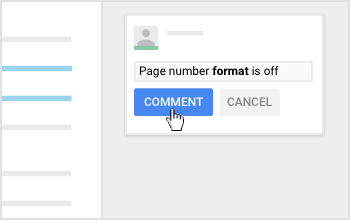
- Highlight text and click Add comment
.
- In the comment box, enter #
enter a keyword or phrase.
- Classroom’s suggestions autocomplete as you type.
5. To insert the comment, click the comment
Comment.
Use only a hash
- Open a student assignment in the grading tool.
- Highlight text and click Add comment
.
- In the comment box, enter only a hash #. The 5 most recently used comments appear.
- Open a student assignment in the grading tool.
- Highlight the text and click Add comment
.
- In the top-right corner, click Comment bank
Search
.
- Point to the comment you want to use and click More
Copy to clipboard.
- In the comment box, paste the comment.
- (Optional) Personalize the comment.
Device Free Dinners
Do your dinner times look like this? Do you want to see a positive change where the members of your family communicate with each other rather than everyone else?
Common Sense Media have made this short parody and provided some resources so you can aim for a Device Free Dinner.

Wednesday, December 12, 2018
Tech on Tap - What did you miss?
|
Subscribe to:
Posts (Atom)